Smart Upgrade · Reliable Security
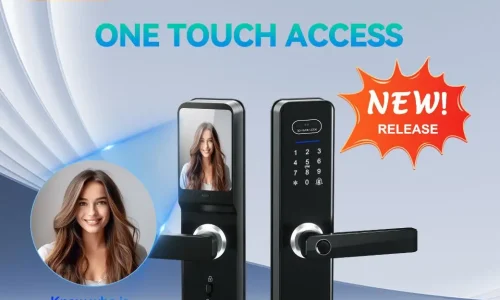
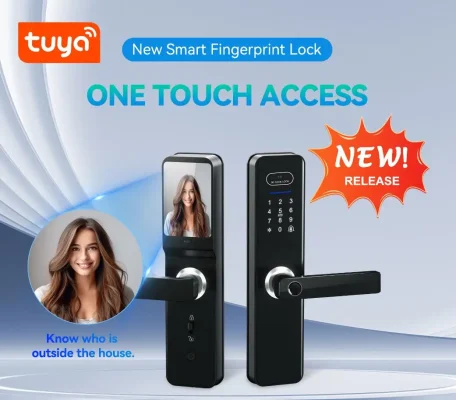
With the rapid development of smart home technology, semi-automatic facial recognition smart locks are becoming essential security solutions for both residential and commercial spaces. Integrating multiple unlocking methods such as password, fingerprint, card, and 3D facial recognition, this smart lock delivers a more convenient, secure, and intelligent access experience.
Key Features
1. Multiple Unlocking Methods
- 3D Facial Recognition: Fast and accurate recognition with live detection to prevent spoofing
- Anti-Peeping Password: Add random digits before and after your password to protect it from prying eyes
- Fingerprint Unlock: Quick response with one-touch access
- Card Access: Convenient for visitors or temporary users
- Remote Unlock via Smartphone: Control access anytime, anywhere
2. Intelligent Security Protection
- Anti-Peeping Input Protection: Prevents password exposure during entry
- Error Lockout System: Automatically locks for 90 seconds after 5 consecutive incorrect attempts
- Low Battery Alert: Alerts when voltage drops below 7V
- Auto Exit Function: Automatically exits after 10 seconds of inactivity to prevent accidental operations
3. Radar Detection & Security Alerts
- Radar Auto Wake-Up: Screen activates automatically when someone approaches
- Suspicious Stay Alert: Sends real-time notifications if someone lingers at the door
- Radar Protection Mechanism: Locks detection after repeated failures to enhance security
4. Flexible Management Modes
- Passage Mode (Free Access): Press “5#” after unlocking to enable continuous access (ideal for meetings or business hours)
- Quick Exit: Press “#” or unlock again to disable
5. Multi-Language Support
Supports up to 10 languages with simple code input:
- 555666880 (English)
- 555666881 (Portuguese)
6. One-Click Factory Reset
Press and hold the “Clear” button for 6–8 seconds to restore factory settings and reset the device.
Application Scenarios
🏠 Residential Use
Multiple unlocking options for family members, combining convenience and security
🏢 Offices & Commercial Spaces
Passage mode suits daily operations, while security features protect assets
🔐 High-Security Environments
Ideal for locations requiring enhanced security and reliable access control
FAQ
Q: How do I replace the battery?
A: The system will alert you when the voltage drops below 7V. Simply replace the battery in time.
Q: How do I activate passage mode?
A: After unlocking, press “5#” to enable it. Press “#” or unlock again to disable.
Q: How do I switch languages?
A: Enter 55566688 + language number + # (e.g., 555666880# for English).
Conclusion
This semi-automatic facial recognition smart lock combines advanced technology with user-friendly design, making it ideal for homes, offices, and commercial environments. It ensures secure, convenient, and intelligent access control for modern living.